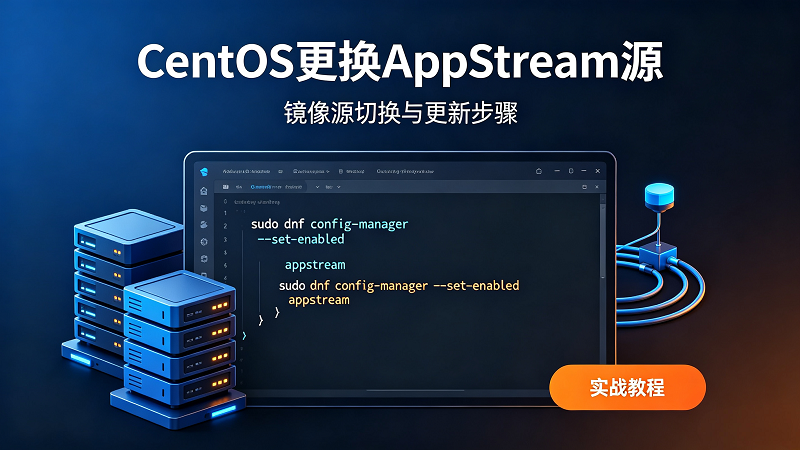



CentOS更换AppStream国内镜像源完整实操教程
适用系统版本:CentOS8 正式版、CentOS Stream 8、CentOS Stream 9
运行环境兼容:宝塔面板、1Panel服务器面板,换源操作不会改动网站、数据库、已部署服务
重要说明:CentOS 8原版系统早已停止官方维护,默认国外源长期失效,BaseOS、AppStream两个软件仓库必须一并替换,只更换单个源依旧会出现dnf下载失败、软件无法安装问题
第一步:备份原有系统默认源(必做前置步骤)
自动新建备份文件夹,把系统全部原生repo配置文件迁移存放,后续源出错可以一键恢复初始状态
mkdir -p /etc/yum.repos.d/bak
mv /etc/yum.repos.d/*.repo /etc/yum.repos.d/bak/
方案一|清华大学镜像源(国内服务器首选,稳定性强、节点冗余充足)
1、CentOS Stream 9 整套源配置(AppStream+BaseOS+扩展源)
curl -o /etc/yum.repos.d/CentOS-Stream-BaseOS.repo https://mirrors.tuna.tsinghua.edu.cn/repo/CentOS-Stream-9/CentOS-Stream-BaseOS.repo
curl -o /etc/yum.repos.d/CentOS-Stream-AppStream.repo https://mirrors.tuna.tsinghua.edu.cn/repo/CentOS-Stream-9/CentOS-Stream-AppStream.repo
curl -o /etc/yum.repos.d/CentOS-Stream-Extras.repo https://mirrors.tuna.tsinghua.edu.cn/repo/CentOS-Stream-9/CentOS-Stream-Extras.repo
2、CentOS Stream 8 专属源命令
curl -o /etc/yum.repos.d/CentOS-Stream-BaseOS.repo https://mirrors.tuna.tsinghua.edu.cn/repo/CentOS-Stream-8/CentOS-Stream-BaseOS.repo
curl -o /etc/yum.repos.d/CentOS-Stream-AppStream.repo https://mirrors.tuna.tsinghua.edu.cn/repo/CentOS-Stream-8/CentOS-Stream-AppStream.repo
3、CentOS8 停服归档版本适配
curl -o /etc/yum.repos.d/CentOS-Base.repo https://mirrors.tuna.tsinghua.edu.cn/repo/CentOS-8/CentOS-Base.repo
sed -i 's|mirrorlist=|#mirrorlist=|g' /etc/yum.repos.d/CentOS-Base.repo
sed -i 's|http://mirror.centos.org|https://mirrors.tuna.tsinghua.edu.cn|g' /etc/yum.repos.d/CentOS-Base.repo
方案二|阿里云镜像源(宽带下载速度优异,国内机房匹配度高)
1、CentOS Stream9
curl -o /etc/yum.repos.d/CentOS-Stream-BaseOS.repo https://mirrors.aliyun.com/repo/CentOS-Stream-9/CentOS-Stream-BaseOS.repo
curl -o /etc/yum.repos.d/CentOS-Stream-AppStream.repo https://mirrors.aliyun.com/repo/CentOS-Stream-9/CentOS-Stream-AppStream.repo
2、CentOS Stream8
curl -o /etc/yum.repos.d/CentOS-Stream-BaseOS.repo https://mirrors.aliyun.com/repo/CentOS-Stream-8/CentOS-Stream-BaseOS.repo
curl -o /etc/yum.repos.d/CentOS-Stream-AppStream.repo https://mirrors.aliyun.com/repo/CentOS-Stream-8/CentOS-Stream-AppStream.repo
方案三|网易163镜像源(低配小带宽机器适配,访问压力偏小)
CentOS Stream9 整套替换
curl -o /etc/yum.repos.d/CentOS-Stream-BaseOS.repo https://mirrors.163.com/.help/CentOS-Stream-9-BaseOS.repo
curl -o /etc/yum.repos.d/CentOS-Stream-AppStream.repo https://mirrors.163.com/.help/CentOS-Stream-9-AppStream.repo
换源收尾统一执行命令(任意一套源部署完毕都需要运行)
清空旧缓存、生成全新软件源索引,校验AppStream仓库是否正常连通
dnf clean all
dnf makecache
dnf list | grep AppStream
配套拓展操作:Epel扩展源安装
宝塔、运维工具、第三方程序依赖必备扩展仓库,同步替换国内节点
#清华EPEL9
curl -o /etc/yum.repos.d/epel.repo https://mirrors.tuna.tsinghua.edu.cn/repo/epel/epel-release-latest-9.repo
dnf makecache
单独调用AppStream源安装软件指令
dnf --enablerepo=AppStream install 软件名称
恢复系统原始官方源操作
rm -rf /etc/yum.repos.d/*.repo
mv /etc/yum.repos.d/bak/* /etc/yum.repos.d/
dnf clean all && dnf makecache


© 版权声明
THE END
















![表情[baoquan]-环球云域CloudIDC](https://cloudidc.vip/wp-content/themes/zibll/img/smilies/baoquan.gif)



暂无评论内容